MCP 智能体设置
Connect an AI client to Domestic Monero’s hosted MCP endpoint with a Profile DM_TOKEN. This page is install only.
- What MCP is, auth model, non-goals: MCP agents
- Tool catalog and recipes: MCP tools
MCP endpoint (paste this URL): https://mcp.domesticmonero.com/mcp
The host root https://mcp.domesticmonero.com is not the MCP path. Clients must use /mcp.
前提条件
- Open the Mini App from the official bot.
- You can reach Profile in the Mini App.
官方机器人: @domestic_monero_bot — 打开 Mini App
在 Telegram 中打开Domestic Monero 没有单独的支持账号、帮助台聊天或第三方恢复服务。请只向官方机器人发消息。
官方机器人: @domestic_monero_bot — 打开 Mini App
在个人资料中发布令牌
- Open the Mini App → Profile.
- Open MCP access.
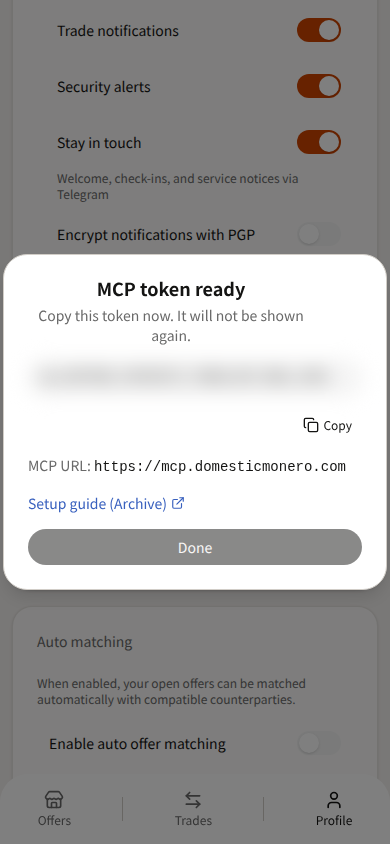
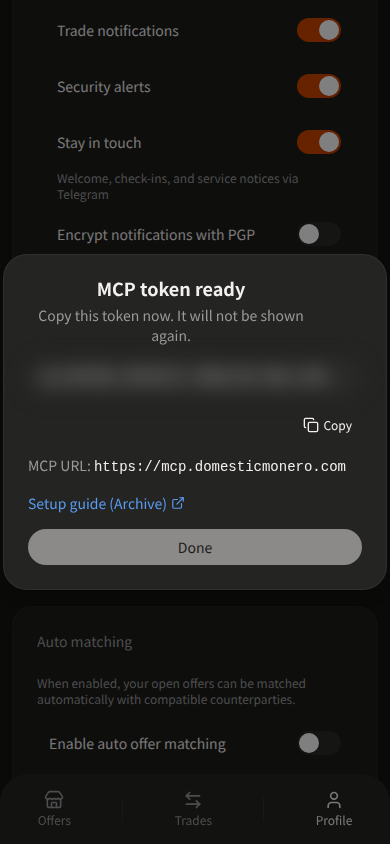
- Publish a token. Copy it when it is shown — the full value appears once. Tokens start with
dm_. - Store it as
DM_TOKEN. Clients sendAuthorization: Bearer <DM_TOKEN>.
Only one active token is allowed. To rotate, Revoke the current token, then publish again.
约定
| Setting | Value |
|---|---|
| URL | https://mcp.domesticmonero.com/mcp |
| Auth | Authorization: Bearer <DM_TOKEN> |
Replace dm_YOUR_TOKEN_HERE with your published token. Never commit a real token.
Cursor
Project file: .cursor/mcp.json — or global ~/.cursor/mcp.json.
{
  "mcpServers": {
    "domestic-monero": {
      "url": "https://mcp.domesticmonero.com/mcp",
      "headers": {
        "Authorization": "Bearer dm_YOUR_TOKEN_HERE"
      }
    }
  }
}
Fields used: url, headers.Authorization (Cursor remote MCP shape). Optional: Bearer ${env:DM_TOKEN} if the token is in your environment.
Reload MCP servers in Cursor (Customize → MCP), then run Verify below.
Claude Desktop
Claude Desktop does not take a remote url + headers block in claude_desktop_config.json. Use a custom connector (Claude Desktop / claude.ai) with these fields:
| Field | Value |
|---|---|
| MCP server URL | https://mcp.domesticmonero.com/mcp |
| Authentication | No sign-in |
| Request headers → header name | Authorization |
| Request headers → value | Bearer dm_YOUR_TOKEN_HERE (include the Bearer prefix) |
Steps: Customize → Connectors → Add custom connector → paste the URL → choose No sign-in → add the Authorization request header → save. Turn the connector on for the chat, then run Verify below.
If your plan only supports local stdio servers in claude_desktop_config.json, bridge with mcp-remote:
{
  "mcpServers": {
    "domestic-monero": {
      "command": "npx",
      "args": [
        "-y",
        "mcp-remote",
        "https://mcp.domesticmonero.com/mcp",
        "--header",
        "Authorization:${AUTH_HEADER}"
      ],
      "env": {
        "AUTH_HEADER": "Bearer dm_YOUR_TOKEN_HERE"
      }
    }
  }
}
Fields used: command, args (mcp-remote + --header), env.AUTH_HEADER. Keep the Authorization:${AUTH_HEADER} form with no spaces around :.
通用 HTTP
Without a Bearer token, the server returns 401 and this JSON-RPC error:
{
  "jsonrpc": "2.0",
  "error": {
    "code": -32001,
    "message": "Authorization Bearer required (DM_TOKEN)"
  },
  "id": null
}
curl -sS -X POST 'https://mcp.domesticmonero.com/mcp' \
  -H 'Authorization: Bearer dm_YOUR_TOKEN_HERE' \
  -H 'Content-Type: application/json' \
  -H 'Accept: application/json, text/event-stream' \
  -d '{
    "jsonrpc": "2.0",
    "id": 1,
    "method": "initialize",
    "params": {
      "protocolVersion": "2024-11-05",
      "capabilities": {},
      "clientInfo": { "name": "curl", "version": "0" }
    }
  }'
A valid Bearer format reaches the MCP session (SSE event: message with serverInfo.name = domesticmonero). Tool calls still require a live Profile token.
验证
After the client connects, call auth_whoami (no arguments).
Success: JSON for your Mini App profile (same account that published the token) — not an empty shell and not another user’s data.
If the tool is missing or auth fails: confirm the URL ends with /mcp, the header is Authorization: Bearer …, and the token was not revoked. More cases: MCP tools → Troubleshooting.
保持安全
- Never paste
DM_TOKENinto chat, group messages, or screenshots. - If a token leaks, Revoke it in Profile → MCP access, then publish a new one.
- Use only
https://mcp.domesticmonero.com/mcpand the official bot deep link. - Prefer client tool approval / allowlists when the host supports them — an agent can call every exposed tool.
- For human help, message the official bot
/supportwith Trade #ref when a trade is involved. See Cancel Trade, Cancel Offer, and /support.
下一步
- MCP agents — mental model, auth, non-goals
- MCP tools — catalog, recipes, troubleshooting
官方机器人: @domestic_monero_bot — 打开 Mini App
在 Telegram 中打开