Payment proof and confirmations
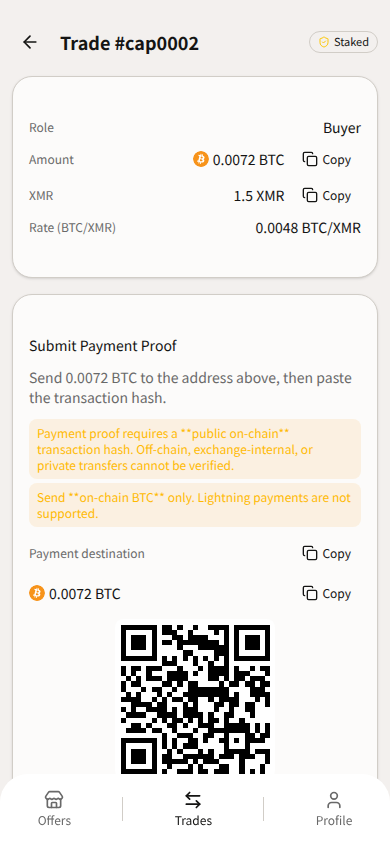
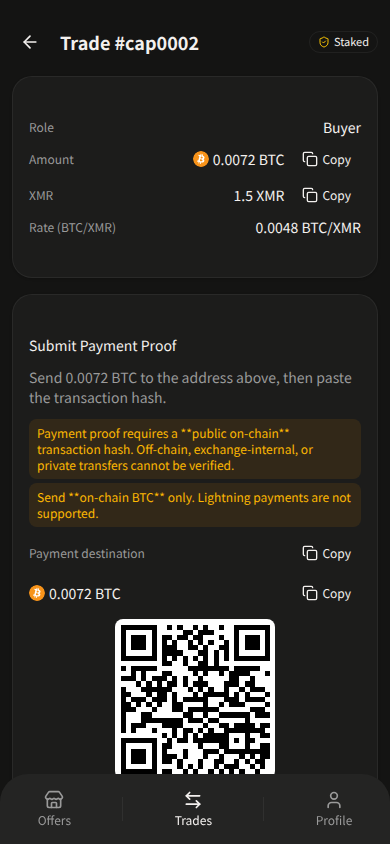
Submit Proof is for the Buyer on chip Staked only. The screen shows the amount and payment address (copy/QR). You do not edit network or amount. The only input is TX Hash. Button: Submit Proof.
Confirm: “Only submit after you have sent the exact amount to the seller's payment address.”
Always: “Payment proof requires a public on-chain transaction hash. Off-chain, exchange-internal, or private transfers cannot be verified.”
Confirmations by payment asset
Payment verification is per asset — not one confirmation count for every payment asset. Watch Proof submit deadline: and Verification deadline: on the trade.
| Asset | Confirmations required | Approx verify wait | Payment/proof timeout |
|---|---|---|---|
 BTC BTC | 3 | ~30 min | 3 hours |
 LTC LTC | 12 | ~30 min | 2 hours |
 ETH ETH | 32 | ~6.4 min | 1 hour |
 USDT USDT | 20 (ERC-20 / Ethereum mainnet) | ~4 min | 1 hour |
 SOL SOL | finalized (Solana finalized commitment; not a fixed confirm count) | ~13 sec | 30 min |
XMR stake has no on-screen confirm count. Stake copy tells you to send with Automatic fee priority in your Monero wallet (avoid Slow).
Per-asset payment rules
| Asset | Quoted warning |
|---|---|
| BTC | Send on-chain BTC only. Lightning payments are not supported. |
| LTC | Send public on-chain LTC only. MWEB private transfers cannot be verified. |
| ETH | Send on Ethereum mainnet only. L2 or sidechain transfers cannot be verified. |
| SOL | Send native SOL on Solana mainnet only. SPL token transfers are not supported. |
| USDT | Send USDT (ERC-20) on Ethereum mainnet only. TRC-20, BEP-20, Polygon, and other networks are not supported. |
Profile for USDT: “USDT ERC-20 on Ethereum mainnet (0x…). Not TRC-20 or BEP-20.”
After proof, the chip moves toward Verifying. When payment is verified, the buyer enters their trade share and taps Receive XMR. Seller during Verifying/Sending sees “Your part is complete” — no Receive/Refund button there.
If proof is late or the hash is unusable, the trade can cancel (payment proof not submitted in time, invalid transaction hash, verification failed). Then the seller uses Request refund if stake remains. See Cancel Trade, Cancel Offer, and /support.
Last updated: 21 September 2026.