Wallets and gates
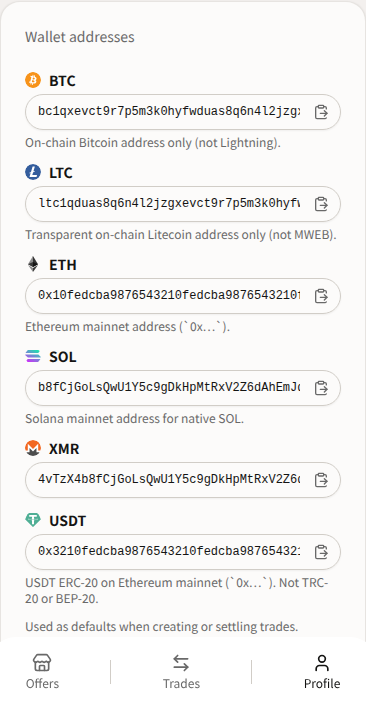
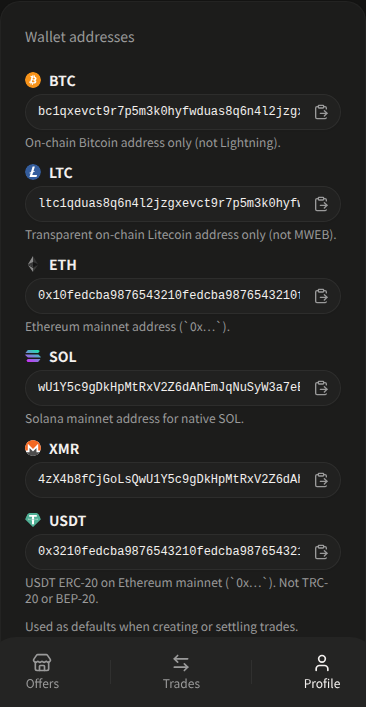
Profile stores addresses for  BTC,
BTC,  LTC,
LTC,  ETH,
ETH,  SOL,
SOL,  USDT, and
  XMR. The screen calls them Wallet addresses — “Used as defaults when creating or settling trades.” Saving is optional until an action gates you.
Seller stake goes to the trade’s Multisig wallet address, not to your Profile XMR field. Profile XMR is the payout / default address.
When the app asks you to register
You may see: Register XMR, BTC in Profile before continuing. (the app fills in the missing wallets).
In practice:
- Create a SELL offer — you need XMR plus that offer’s payment asset.
- Create a BUY offer — creating is not gated on wallets in the app helper. You will still need addresses later to settle.
- Accept a BUY offer — you become the Seller. You need XMR plus the payment asset.
- Accept a SELL offer — you become the Buyer. You need XMR (payout).
Other quoted gates:
- “Register an XMR wallet address in your profile before withdrawing.”
- “Register your BTC address in Profile before starting trades.” (the asset name matches the offer)
- “This XMR address was set when the trade started and cannot be changed.”
- “Locked while you have an active trade.”
Address hints on Profile
| Asset | What to save |
|---|---|
| Bitcoin (BTC) | On-chain Bitcoin address only (not Lightning). Placeholder bc1q… |
| Litecoin (LTC) | Transparent on-chain Litecoin address only (not MWEB). Placeholder ltc1q… |
| Ethereum (ETH) | Ethereum mainnet address (0x…) |
| Solana (SOL) | Solana mainnet address for native SOL |
| Tether (USDT) | USDT ERC-20 on Ethereum mainnet (0x…). Not TRC-20 or BEP-20 |
| Monero (XMR) | Standard address (4…) |
Lightning, MWEB, L2, TRC-20, BEP-20, and SPL-token payments are not supported. See Payment proof and confirmations.