SideShift KYC after deposit — next time read peer Offers before you send

The Instant form said no account, no KYC. You sent BTC, ETH, or another supported coin into a SideShift deposit for XMR. Then the shift froze: automated risk flag, human review, maybe identity or source-of-funds before settle — or a refund path that can still demand verification on serious flags. Coins already left your wallet. Next time, put a peer BUY card next to the Instant quote before you broadcast.
At a glance
| Field | Value |
|---|---|
| Topic | Competitor displace: SideShift-class AML/risk hold after deposit → peer Offers next time |
| Product | Domestic Monero — Telegram Mini App peer offers |
| P2P assets (DM) | XMR ↔ BTC, LTC, ETH, SOL, USDT (ERC-20 on Ethereum mainnet) |
| Official entry | @domestic_monero_bot |
| Support | /support on that bot only — Trade #ref + trade state |
| What this is not | SideShift support script; refund guarantee; Instant-speed claim |
Disclaimer
This article is editorial opinion and general information, not legal or tax advice. Instant desk policies change; read SideShift’s current Risk Management Policy and Terms of Service. Rules vary by country.
What the hold actually is
SideShift positions as a no-signup Instant desk for pairs that include Monero. Public risk-management copy also says third-party screening can flag a deposit or settle address, pause the shift for human review, and — on serious flags — require verification before a refund is processed. Their API even exposes a review status when a deposit cannot be auto-processed. That is a provider window, not a peer trade.
Same family of trap: ChangeHero KYC after deposit, FixedFloat KYC after deposit, SimpleSwap KYC hold. Fee / privacy framing: Privacy tax on KYC Monero swaps. Abort before deposit: Got a swap quote — when to abort.
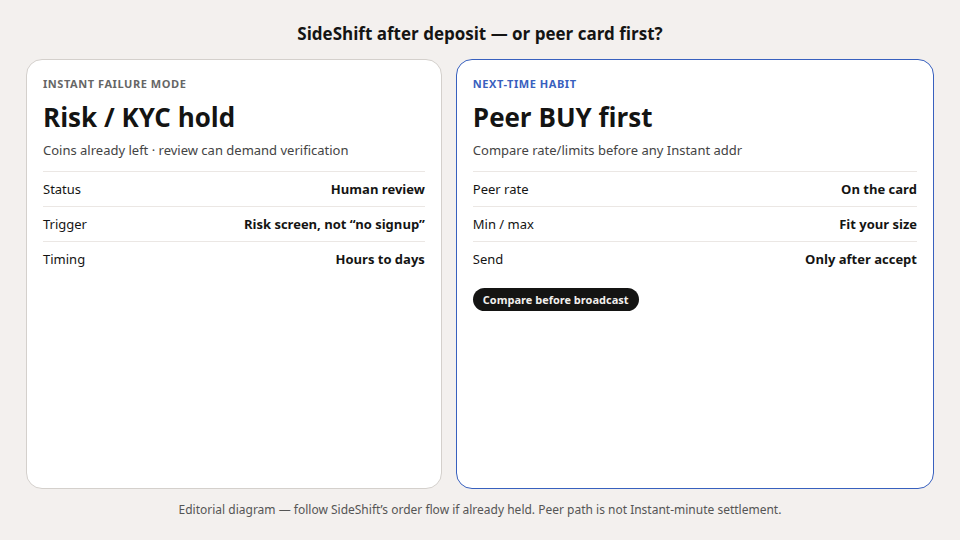
Next-time habit (peer compare first)
- Verify @domestic_monero_bot — Verify official.
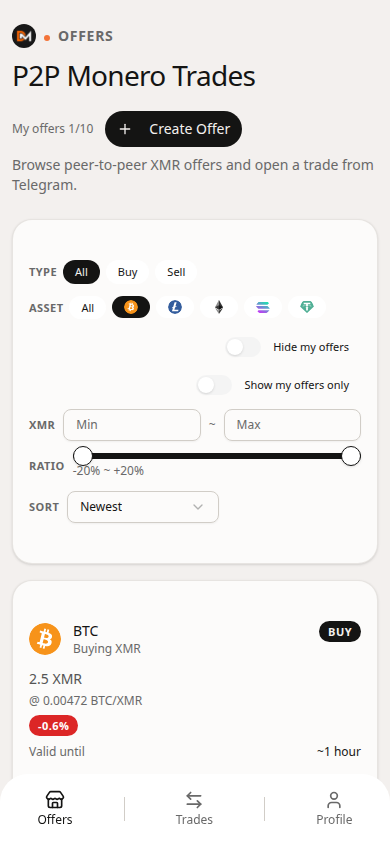
- Open Offers. Filter the asset you were about to deposit (BTC, ETH, USDT ERC-20, …).
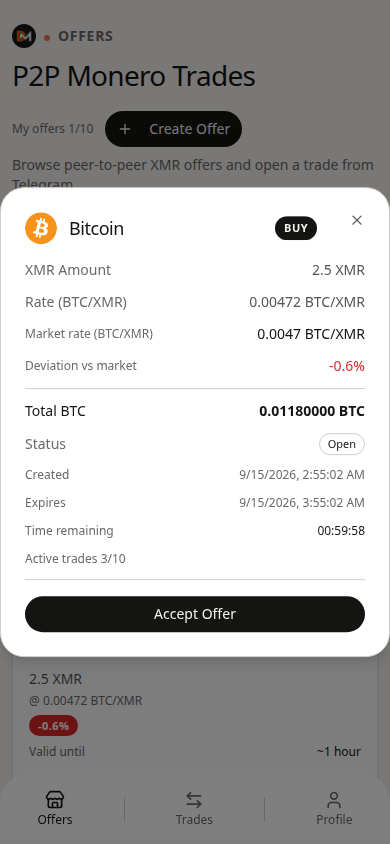
- Put Instant’s “you receive” XMR next to the peer card’s rate / limits / deviation.
- If the peer card wins on all-in and fits min/max, accept — then send to the trade address, not the Instant deposit.
- Save the trade share. Support is
/support+ Trade #ref only.
Domestic Monero does not promise Instant-minute settlement. It promises a readable peer card before you risk a post-deposit ID queue.
If you are already stuck mid-hold
Follow SideShift’s order page / support flow from the shift ID on the order. Domestic Monero cannot unblock their desk. After funds return (minus any fees or delays), re-run the peer compare before the next deposit. Do not paste trade shares or seeds into anyone claiming to be “swap support.”
Terms in this article
| Term | Meaning (public) |
|---|---|
| Instant deposit | One-time provider address + countdown |
| Risk / KYC hold | Provider pauses settle pending origin / identity checks |
| Offer | Peer card: rate, limits, payment asset |
| Trade share | Credential you keep for settlement / refund paths |
FAQ
Does “no KYC” on SideShift mean never?
No. It usually means no signup on the happy path. Flagged deposits can still open a review / verification path after you send — read their current Risk Management Policy and Terms.
Does Domestic Monero freeze deposits for ID?
DM is peer Offers with staged settlement and a trade share — not an Instant deposit desk. Different failure modes.
USDT network?
On Domestic Monero, USDT is ERC-20 on Ethereum mainnet only — not TRC-20/BEP-20.
What to do next
Open @domestic_monero_bot → Offers → filter the asset you were about to Instant-deposit → read peer rate and limits before you send.
Open the app